OpenMVGO - Full-stack Self-Hostable Photogrammetry Suite
OpenMVGO
A full-stack photogrammetry tool suite — a self-hostable Go API wrapping OpenMVG & OpenMVS, and a Flutter mobile app to go with it.
Tech: Go · Flutter · Docker · PostgreSQL · Source
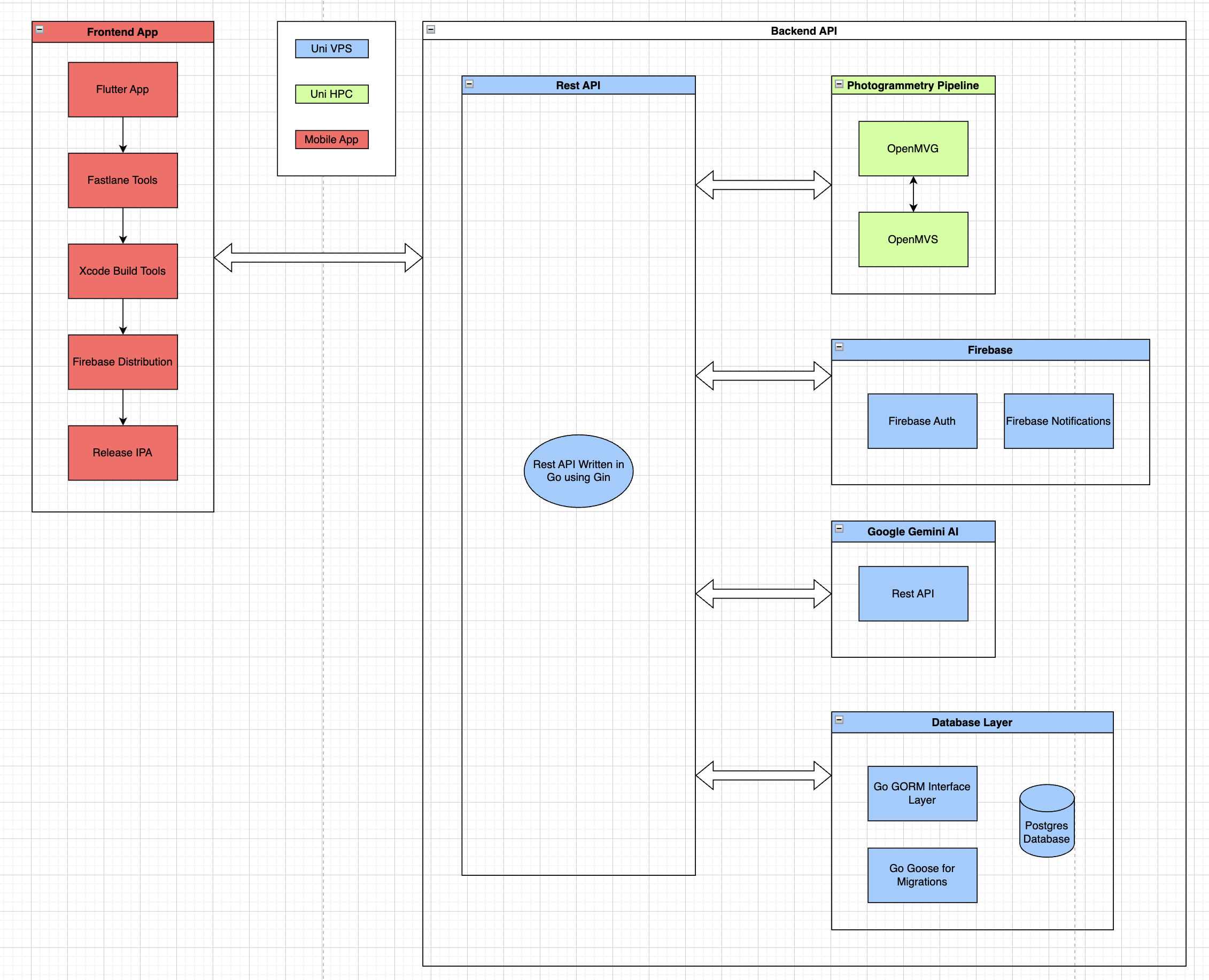 Complete system architecture
Background
Photogrammetry — turning a set of 2D images into a 3D mesh — has been around for over a century, but accessible tooling for everyday users is still surprisingly rare. Existing apps either lock features behind paid tiers, require hours of dependency setup, or store your data on their own servers with no way to get it back.
OpenMVGO started as my BSc dissertation project at the University of Sheffield. The goal was simple: make photogrammetry genuinely accessible. That meant a free, open-source API anyone could self-host, and a polished mobile app that made the whole process feel effortless.
The Problem with Existing Solutions
After surveying the landscape — Polycam, Meshroom, Scaniverse — a clear pattern emerged. Polycam is polished but paywalled after 20 scans. Meshroom is open source but demands a CUDA GPU and hours of setup. Scaniverse is free but uses Gaussian Splats, which produce inconsistent results depending on the device camera.
Developer-focused tools like OpenMVG and OpenMVS are powerful but come with no packaging, outdated documentation, and a steep time investment just to get a working environment. The gap was obvious: a containerised, GPU-accelerated API with clean documentation and a simple self-host story.
The Stack
The backend is written in Go, using Gin for routing and Gorm as the ORM against a PostgreSQL database. OpenMVG and OpenMVS run as subprocess binaries inside the same Docker container, with the Go API orchestrating the pipeline and exposing a RESTful interface. Firebase handles authentication, keeping the auth layer thin and free.
The mobile app is built with Flutter and Dart, targeting iOS first with Android support alongside it. BloC handles state management, keeping business logic cleanly separated from the UI. The layered architecture — Presentation, Business Logic, Data — mirrors the backend's SOLID structure, making both sides easy to test in isolation.
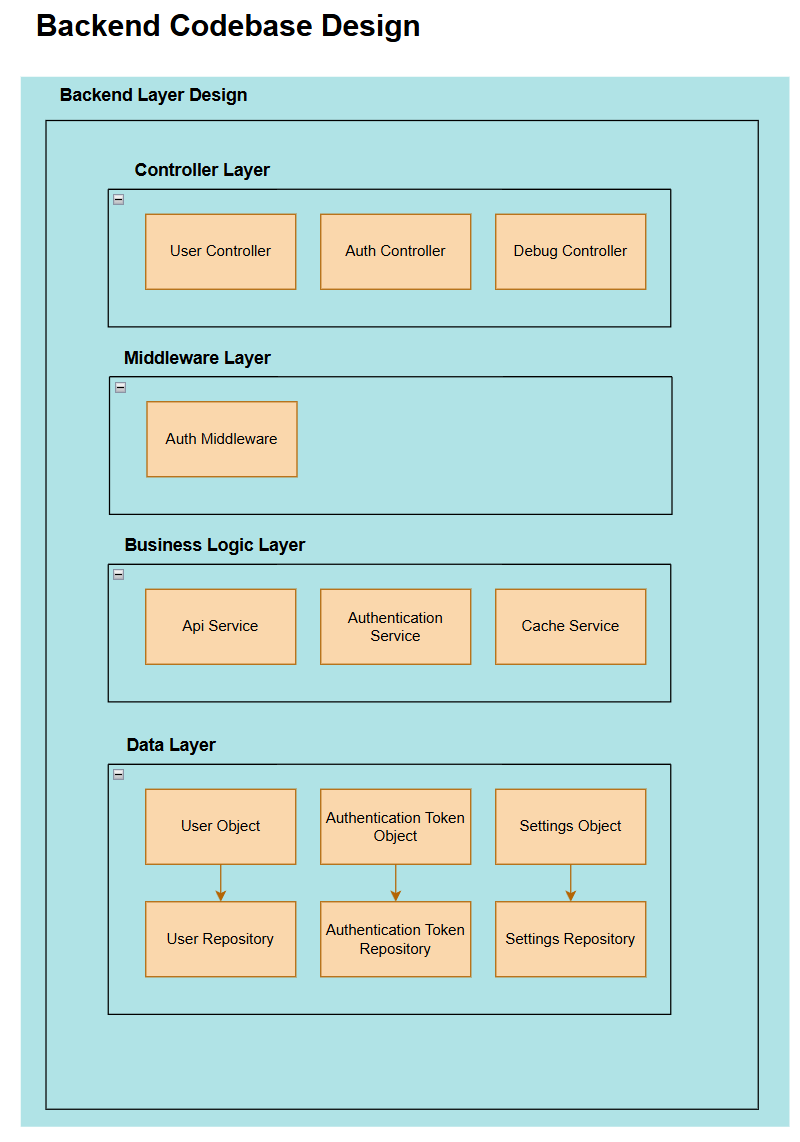 Backend architecture
 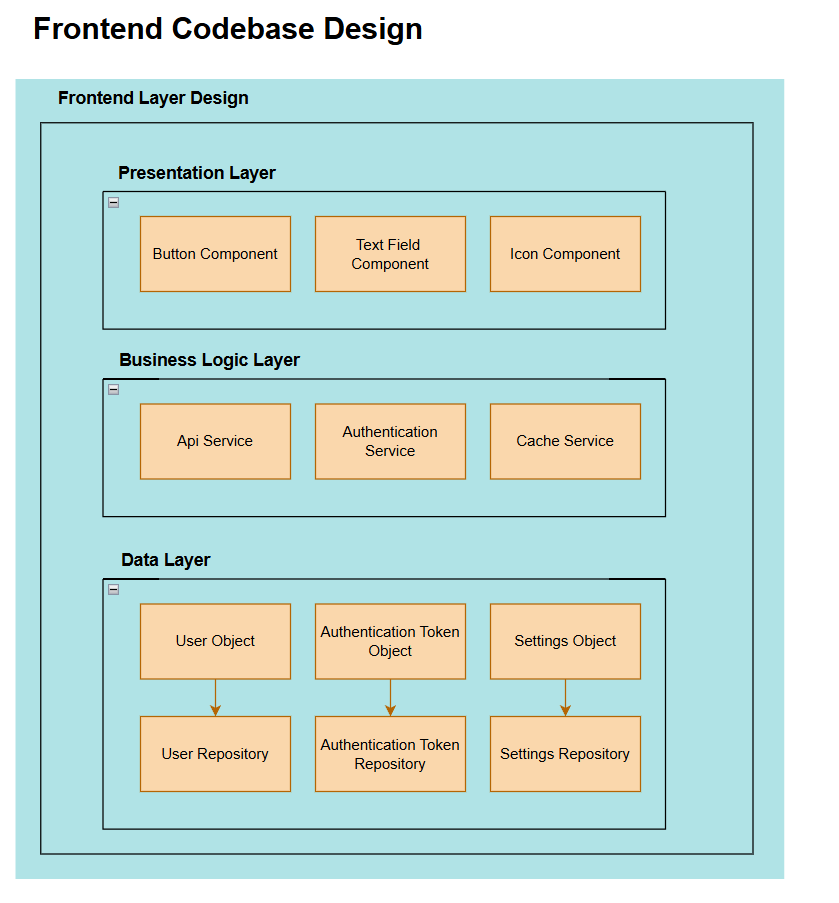 Flutter app architecture
The Go API
The API follows a strict three-layer pattern: Controllers handle HTTP, Services own business logic, and Repositories abstract the database. Every repository has a corresponding interface, which means mocking is trivial — the test suite swaps in a mock repository without touching any production code.
Migrations are handled with Goose for production environments, giving full up/down control over schema changes. In tests, Gorm's AutoMigrate tears down and rebuilds the schema before each run, keeping integration tests fast and deterministic.
The API is fully documented with Swagger annotations, auto-generating an HTML reference page at /swagger/index.html. The Docker image is published to DockerHub — drop in a docker-compose.yml and the whole stack is running in minutes.
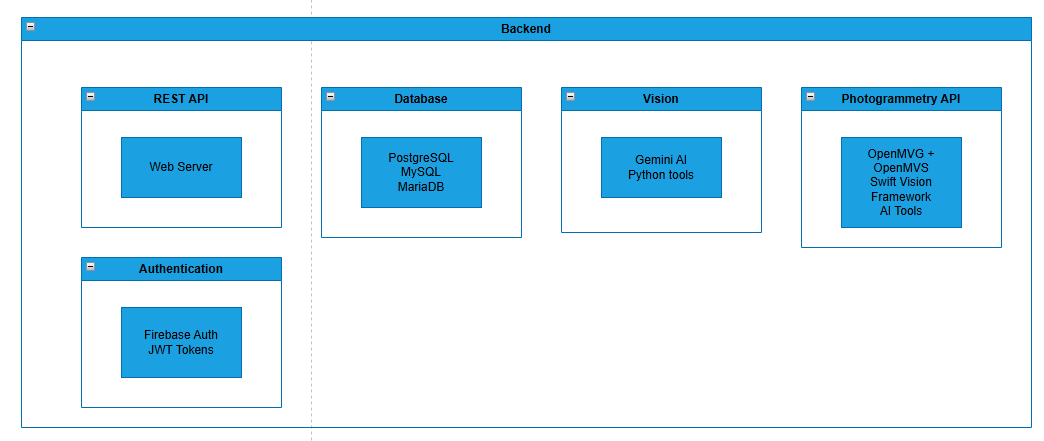 API technical overview
The Flutter App
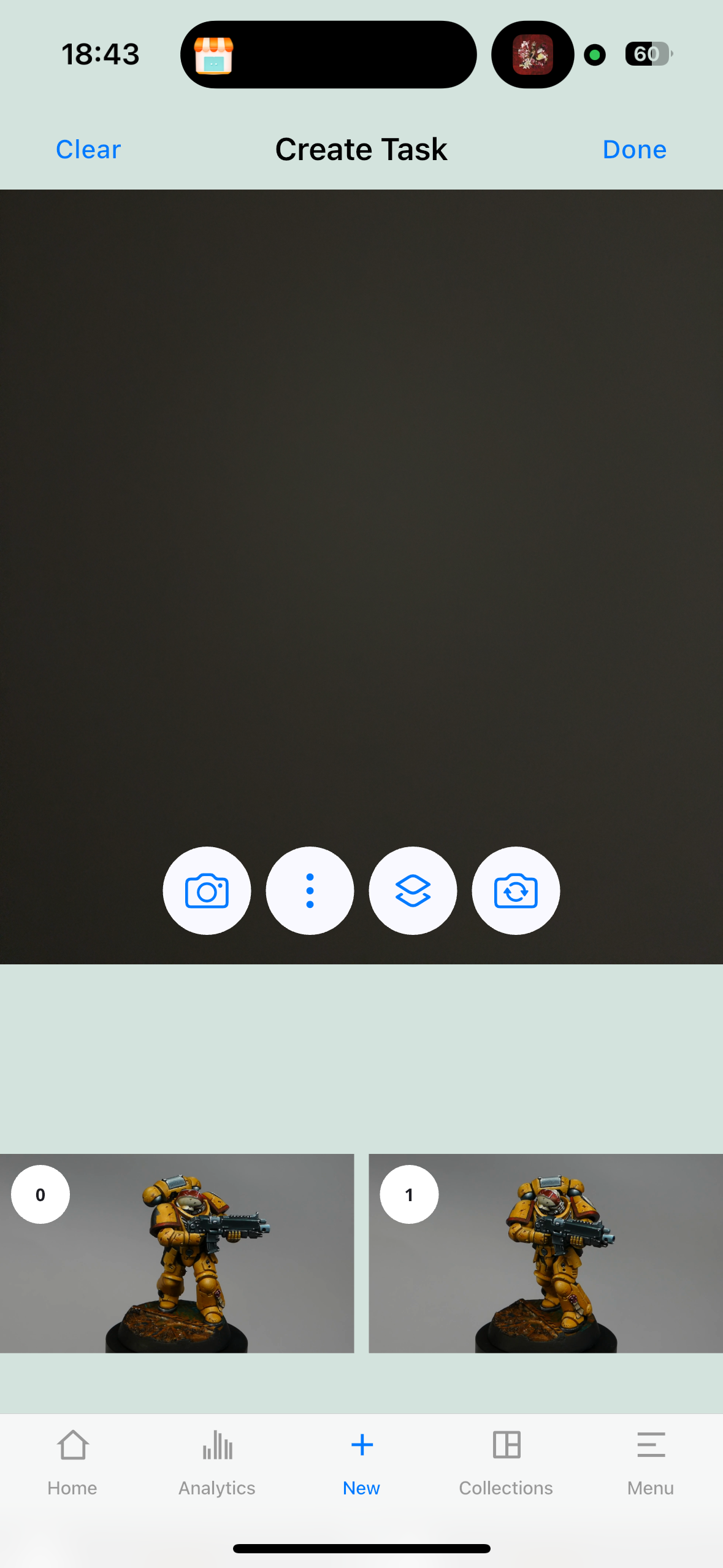
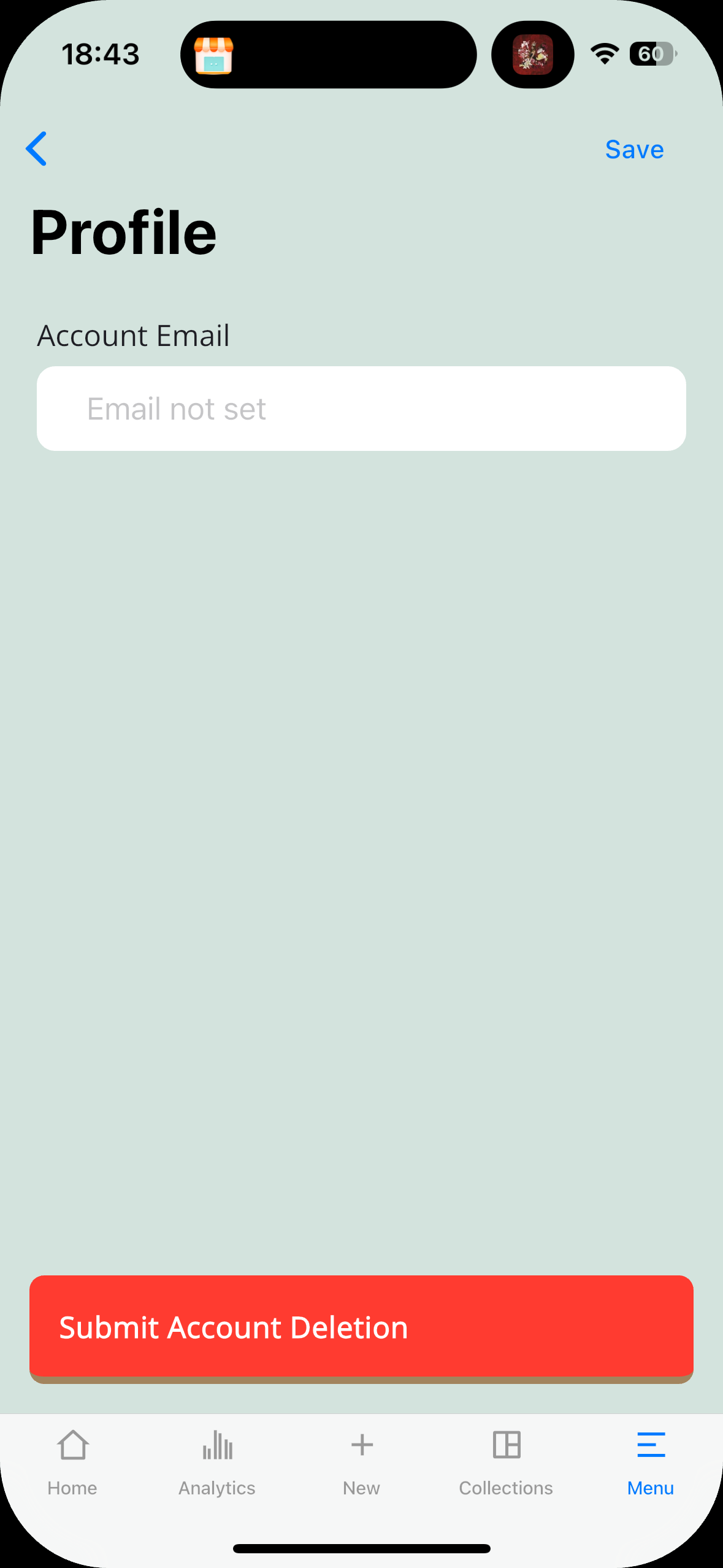
The app is designed around the iOS Cupertino design language, using Flutter's Cupertino widget library to feel native without sacrificing cross-platform reach. The colour palette — muted greens and greys — was chosen deliberately to feel trustworthy and calm, passing WCAG AA contrast standards.
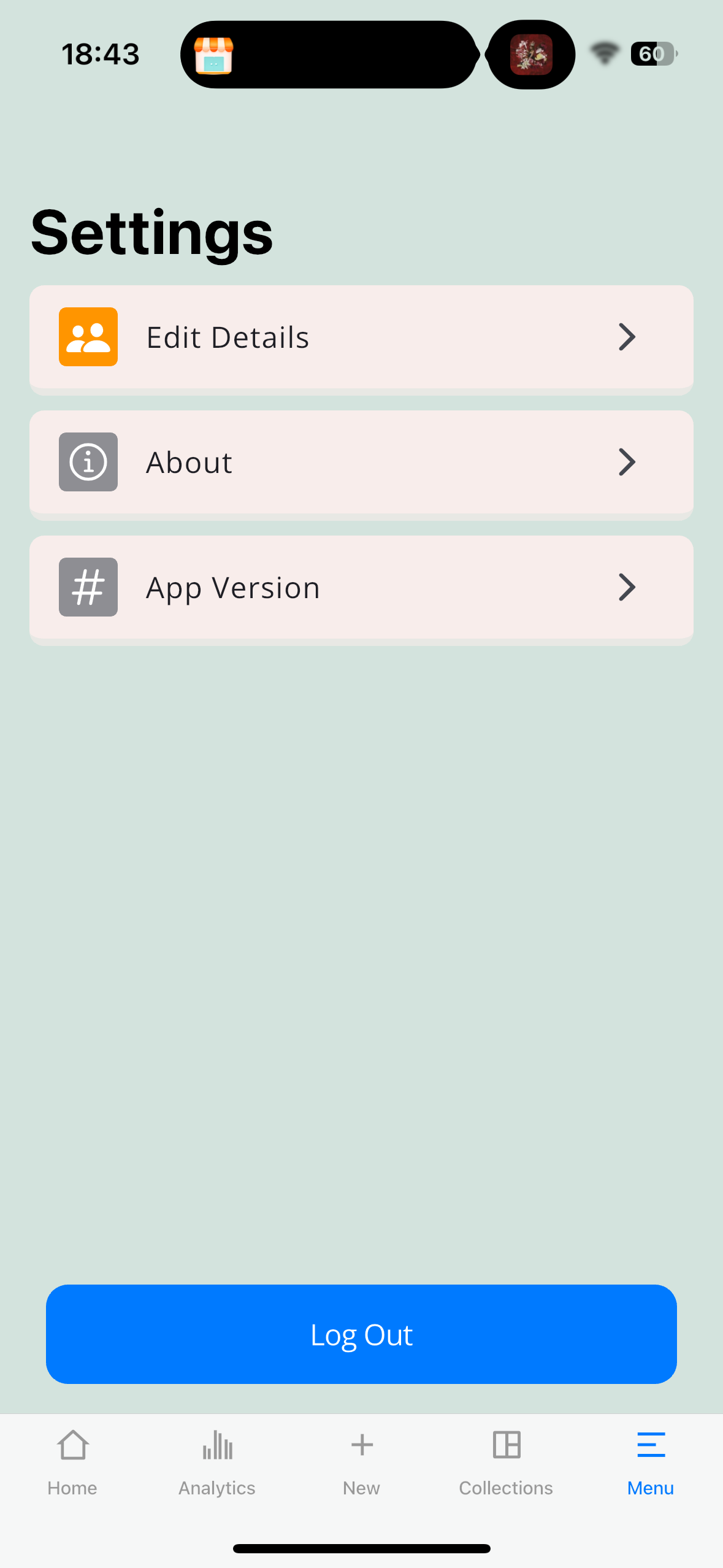
Navigation is split into five sections: Home (task list with live progress), Analytics (weekly model overview), Scanner (image capture and upload), Collections (grouping finished models), and Settings. Each section maps to a BloC, keeping state changes predictable and testable.
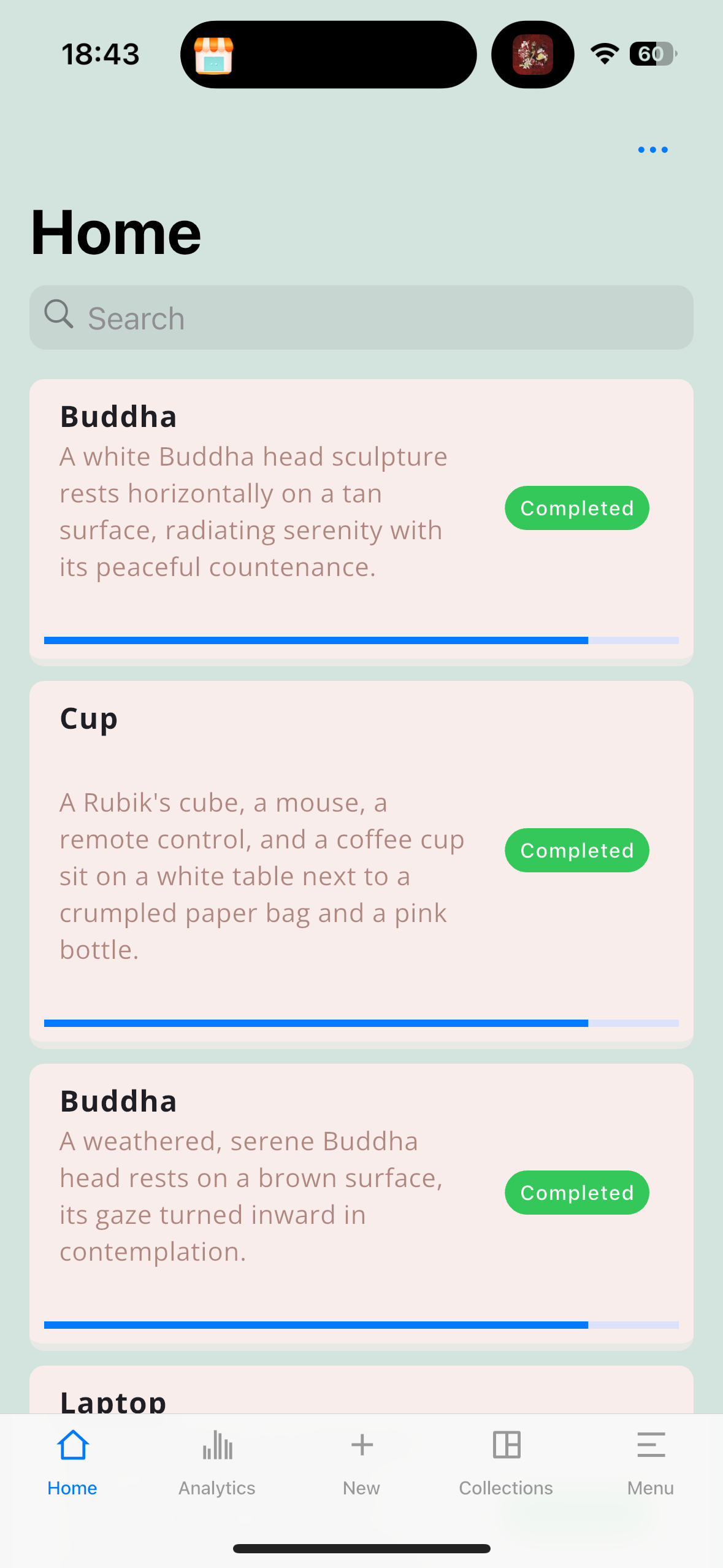
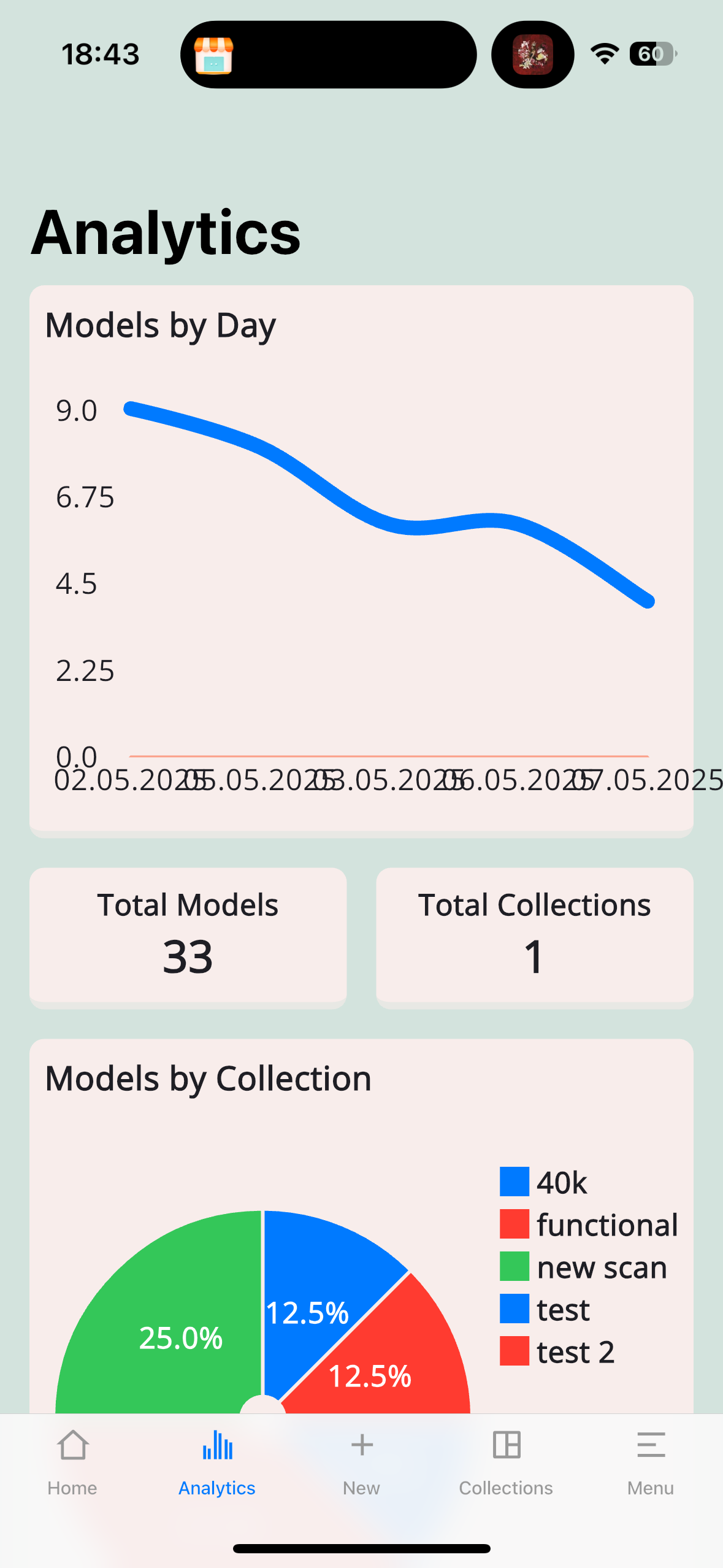
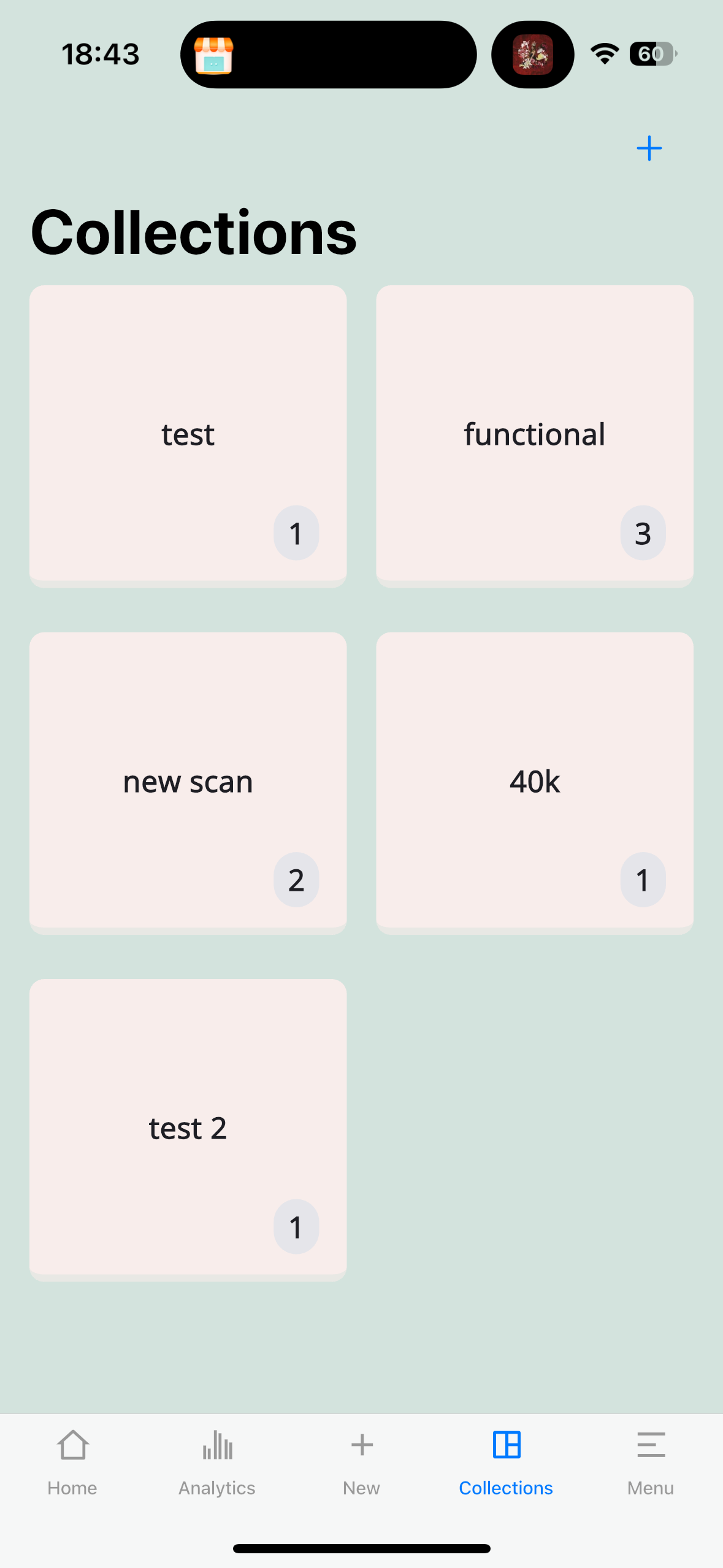
UI Design
The design process started in Figma, building a component library before touching any Flutter code. Buttons, cards, and inputs were defined as variants — light/dark, primary/danger — so the Flutter theming system could mirror them directly using primaryColor and onPrimaryColor tokens.
Icons are sourced from Remix Icon, chosen over Ionic Icons for its consistency at different scales and its clean line style. App icons were generated using Gemini with prompt engineering, iterating on style and recognisability until the final icon clearly communicated "camera + 3D object" at a glance.
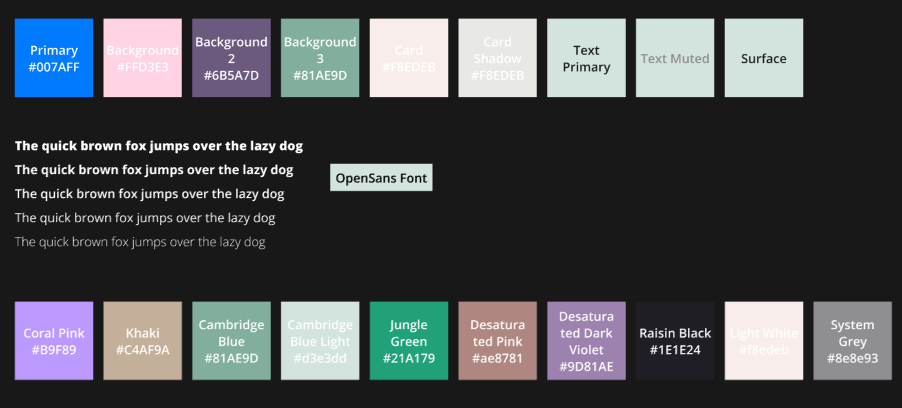
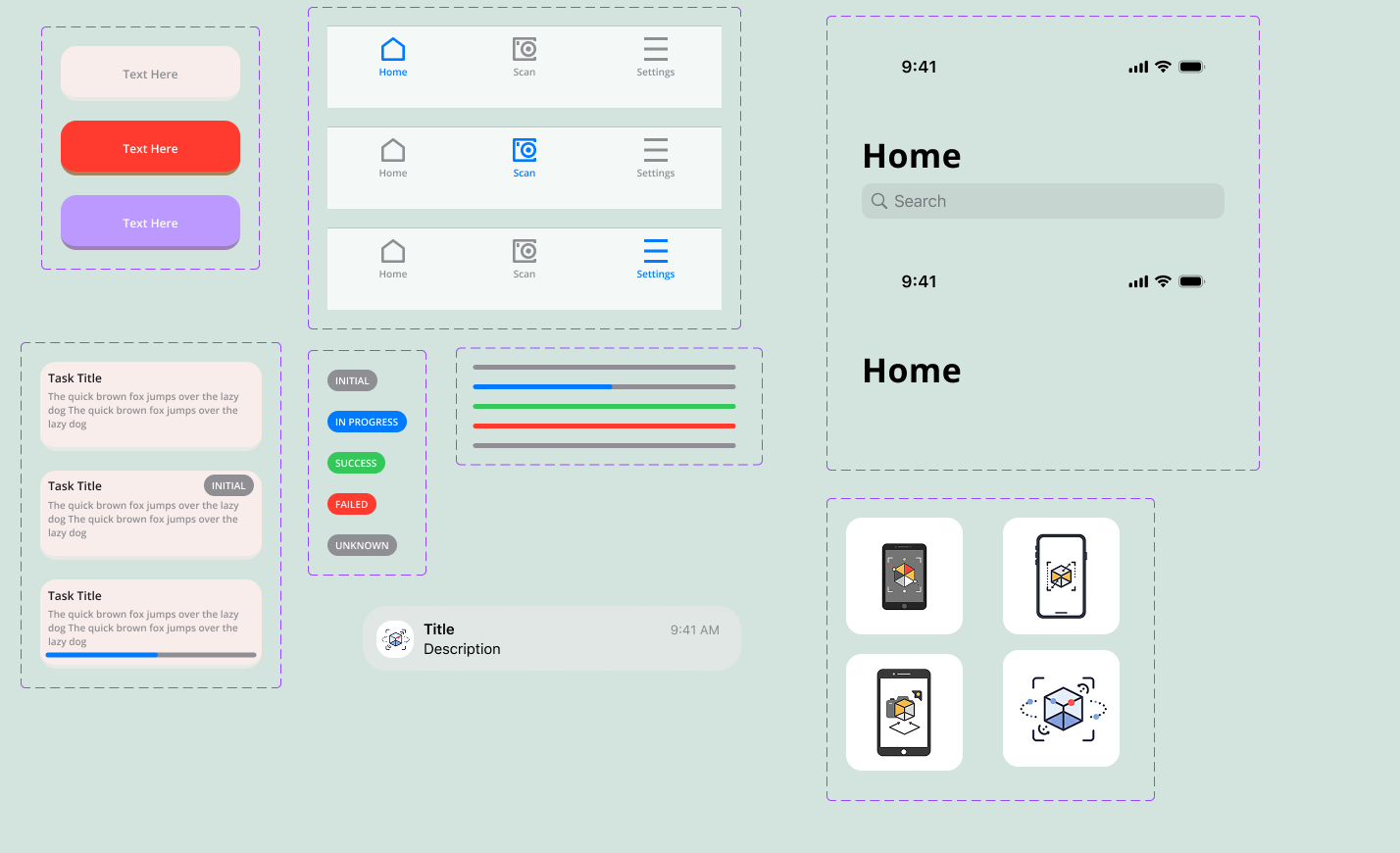 Colour palette Figma component library
Photogrammetry Pipeline
When a user submits images, the Go API queues the job and kicks off the OpenMVG → OpenMVS pipeline as a subprocess. OpenMVG handles feature detection and camera pose estimation, producing a sparse point cloud. OpenMVS then densifies that into a full mesh. The whole process runs inside a single Ubuntu 24.04 Docker container, with GPU acceleration available when the host supports it.
The app polls a /status endpoint for live updates, and push notifications fire when the job completes or fails. Finished models are viewable in-app with a 3D viewer and exportable as OBJ, STL, or PLY.
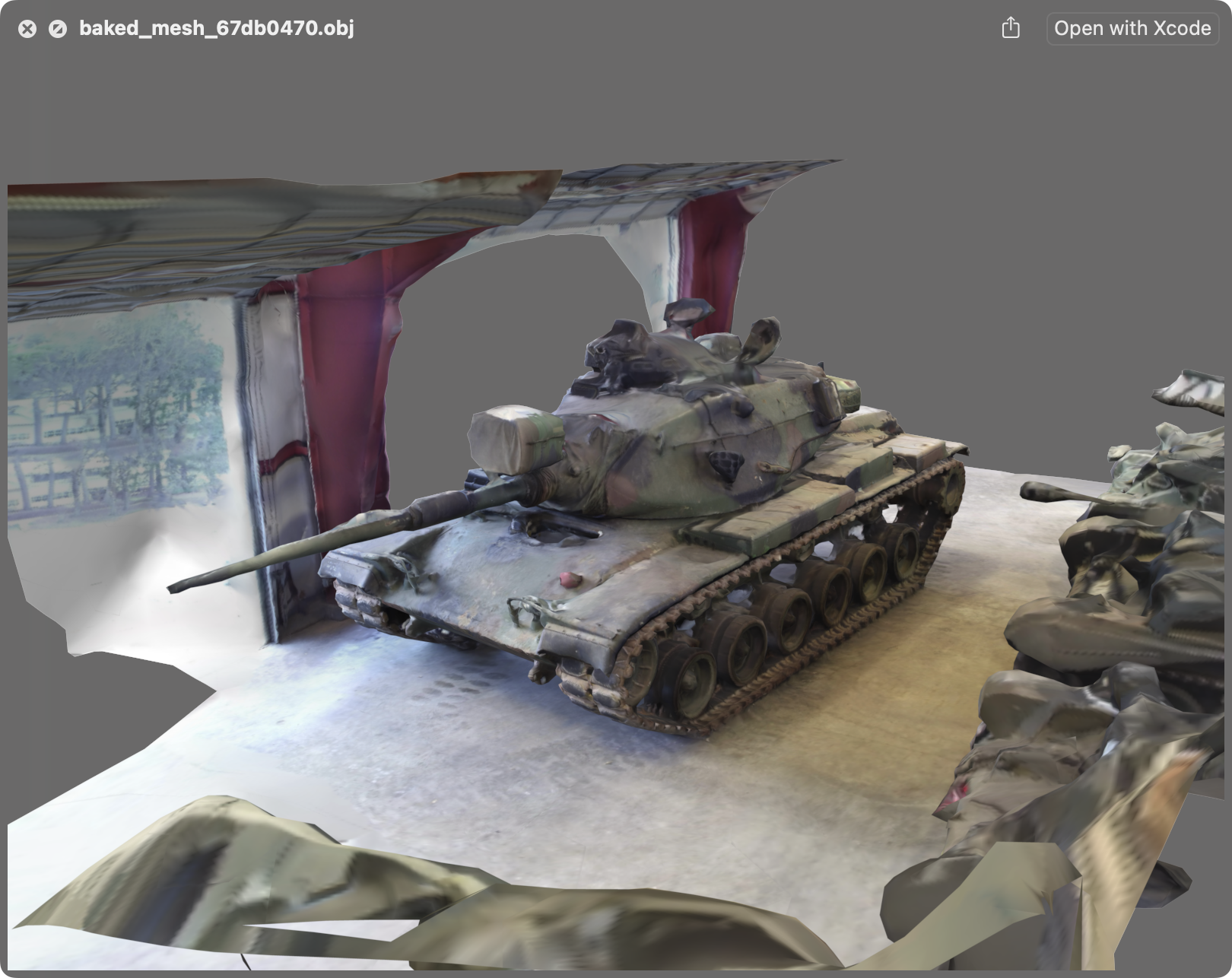
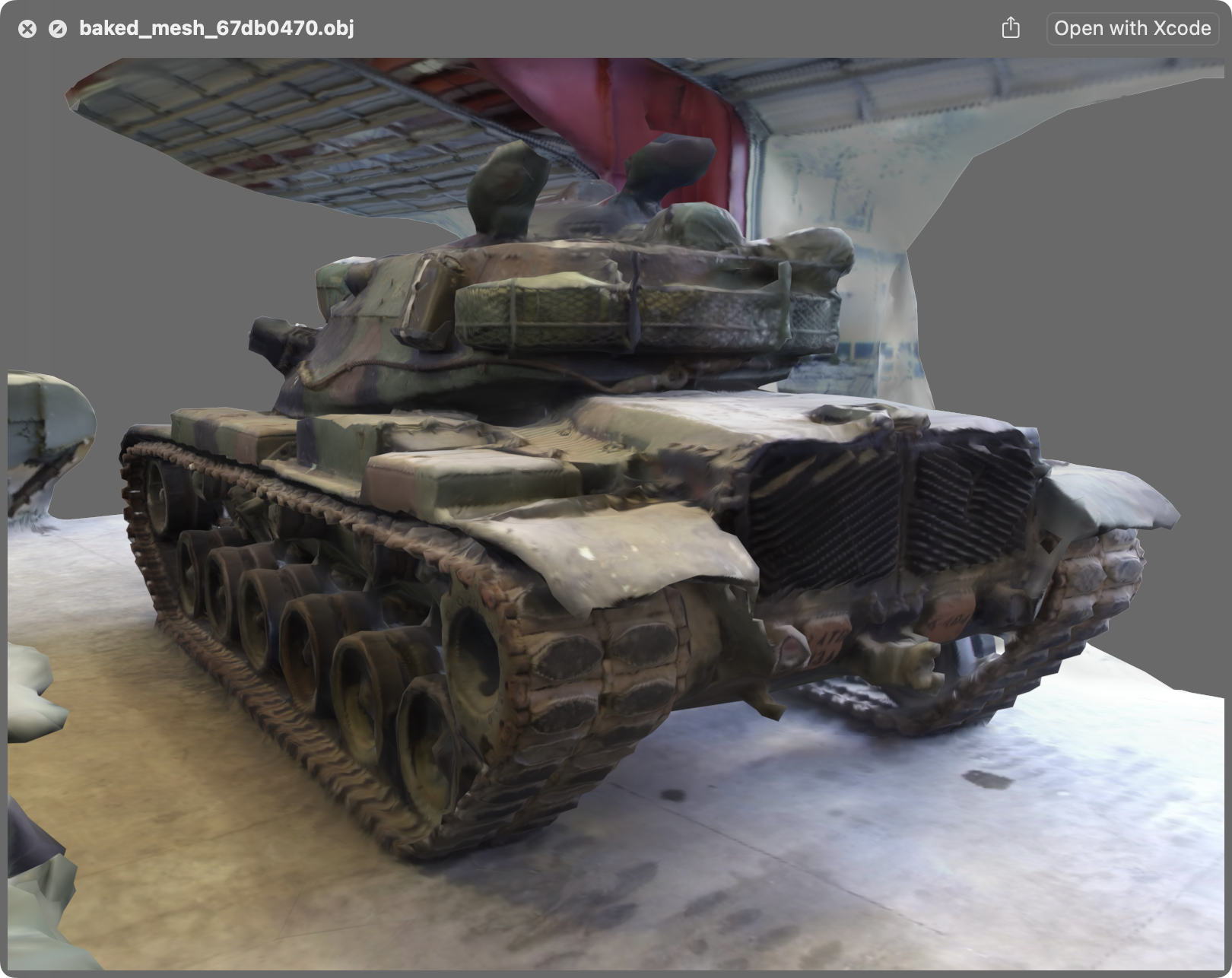
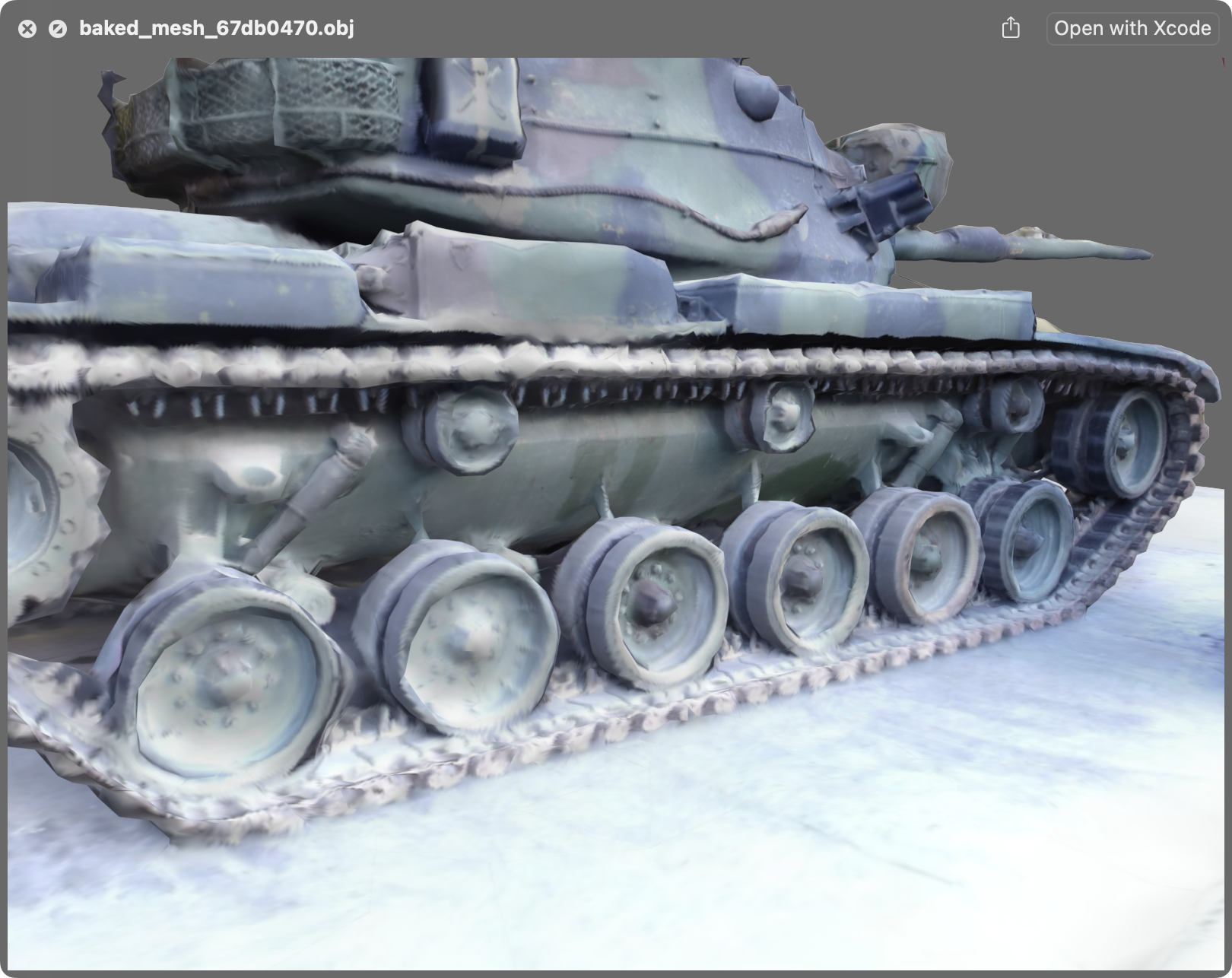
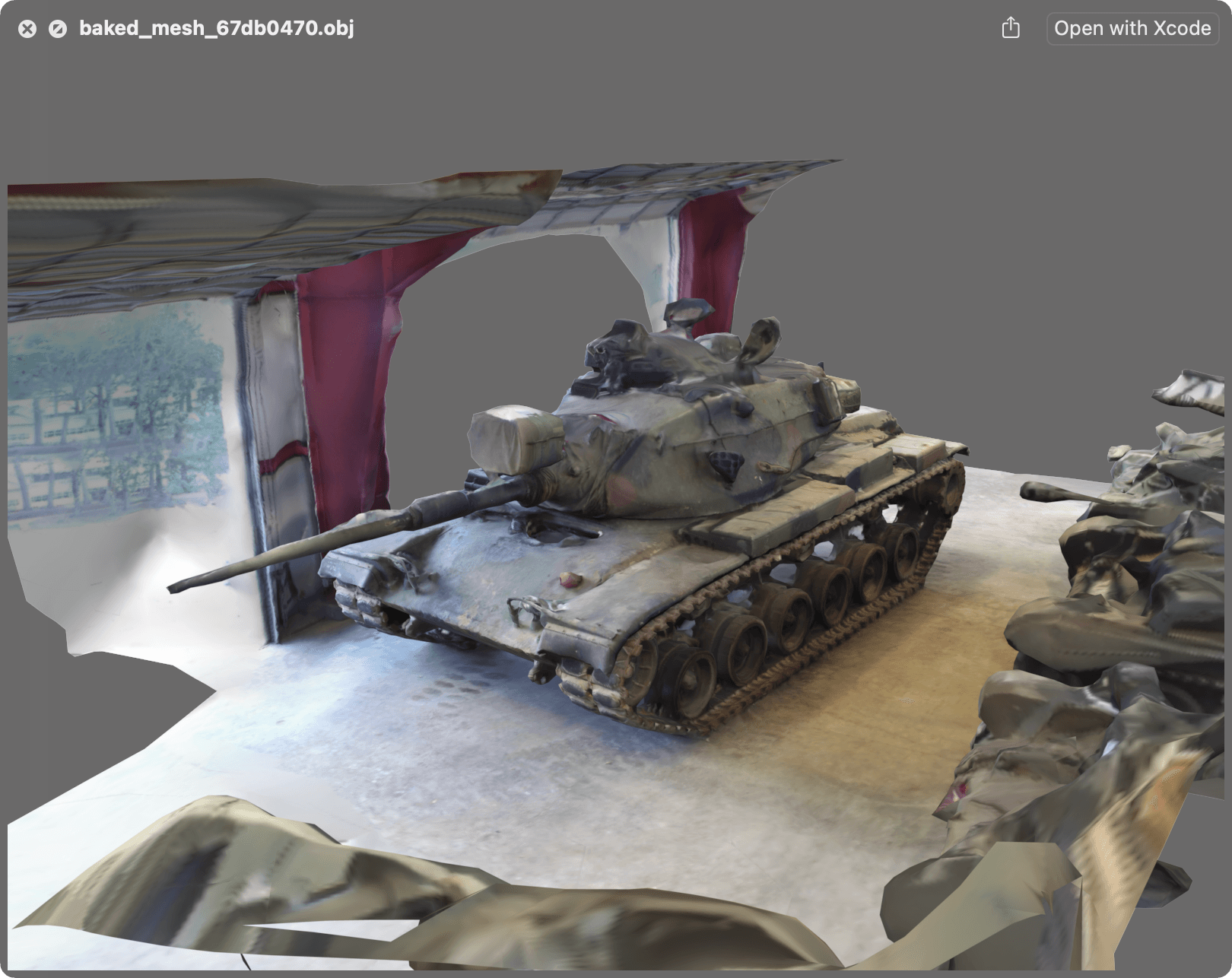
M60 tank model — output from the photogrammetry pipeline
AI Integration
Google Gemini is wired into two parts of the pipeline. First, feature detection: when images are uploaded, Gemini analyses a sample and generates a title and description for the scan automatically. Second, a feedback chatbot lets users ask questions about their dataset and finished model, with Gemini already having context from the upload.
Gemini was chosen over GPT-4 and Claude 3 for its lower cost, strong feature detection, and a first-party Go SDK that integrates cleanly with the backend.
CI/CD and Deployment
GitHub Actions runs unit and integration tests on every push to main, staging, and development branches. After tests pass, a coverage report is generated with go-cover-treemap and deployed to GitHub Pages. The backend targets 70% coverage across core repositories and services.
The Flutter app ships via Fastlane to TestFlight for iOS and Firebase App Distribution for Android. The backend Docker image is published to DockerHub and deployed via DeployHQ.
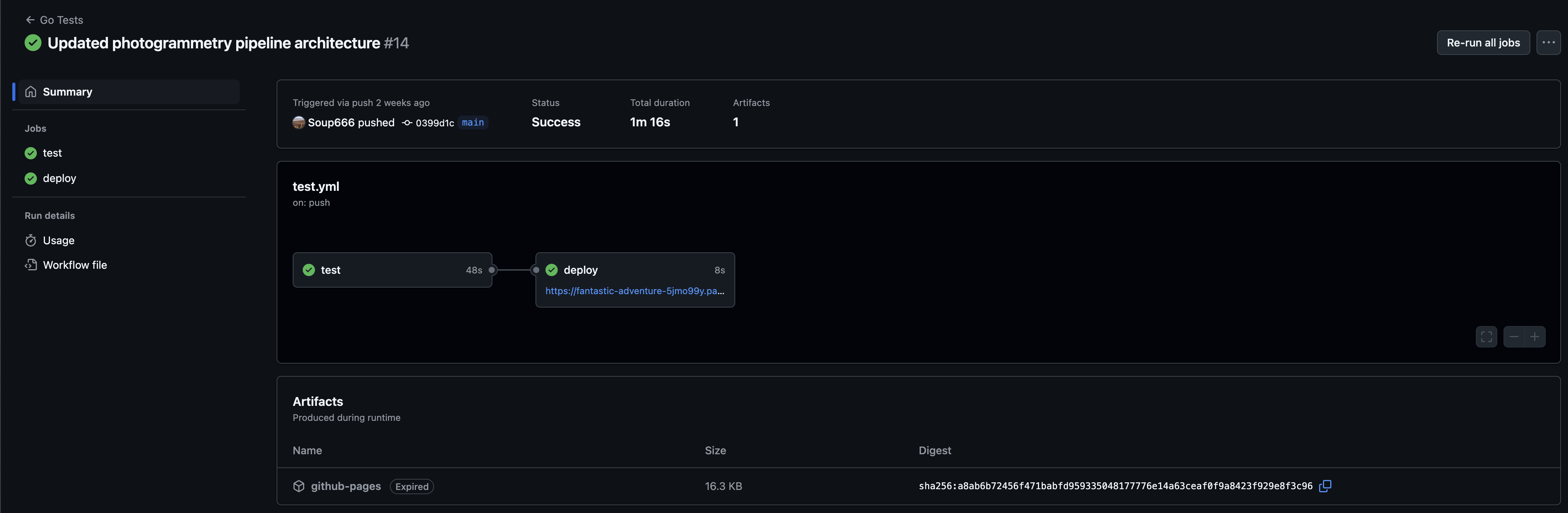
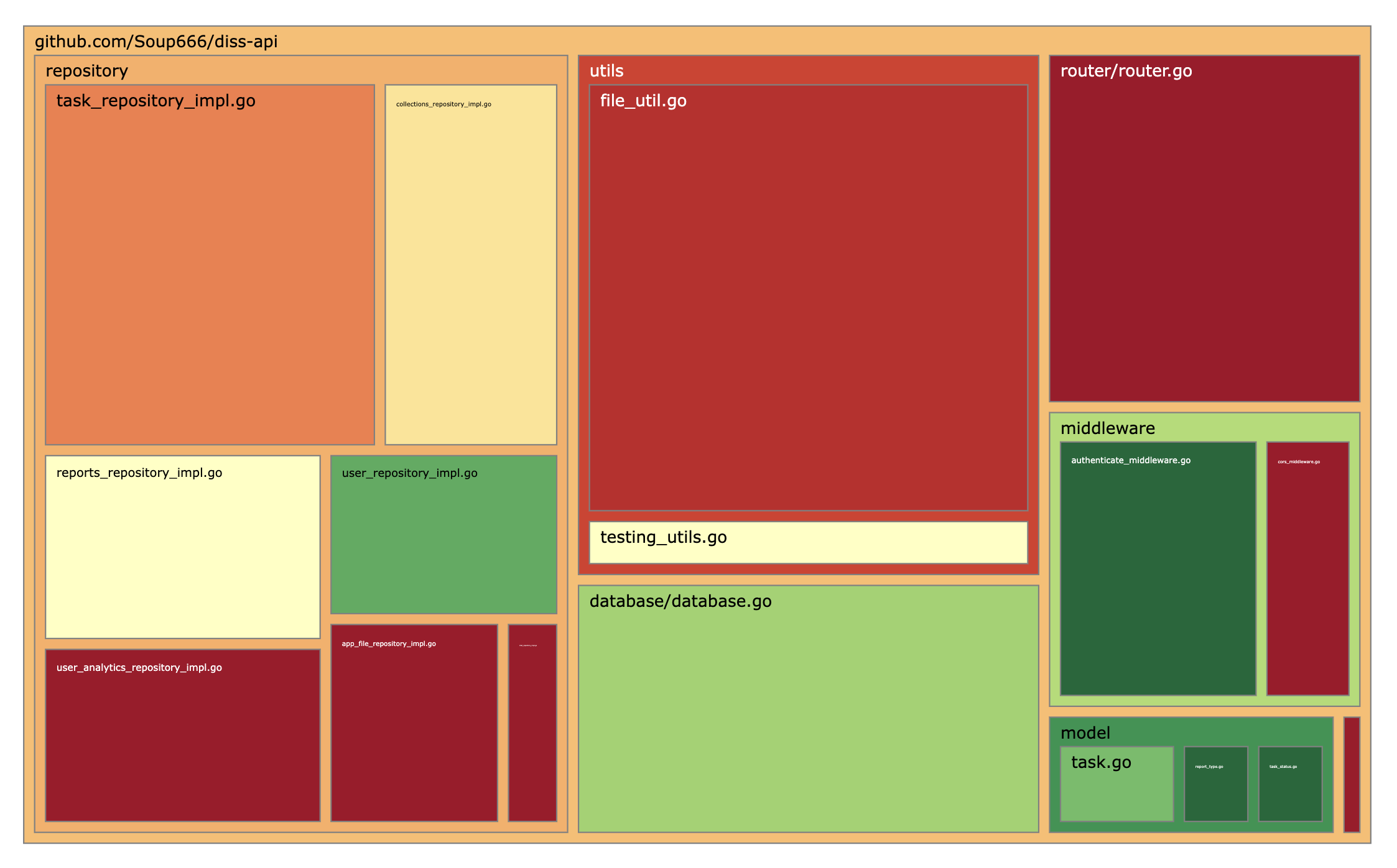 GitHub Actions pipeline API test coverage
Results
The app shipped to TestFlight and was approved by Apple pending public release. Of the 29 functional requirements, 21 were fully completed. The remaining 8 — primarily 3D printing integration and LLM image upscaling — were descoped due to time constraints, not technical blockers.
User survey feedback highlighted strong colour theme and app responsiveness as standout positives. The main criticism was around intuitiveness for first-time users, with requests for tooltips and an onboarding flow — both reasonable next steps.
The models generated are already print-quality. A Giant Plush Octopus scan was sliced and printed on a Bambulab A1 Mini as a proof of concept.
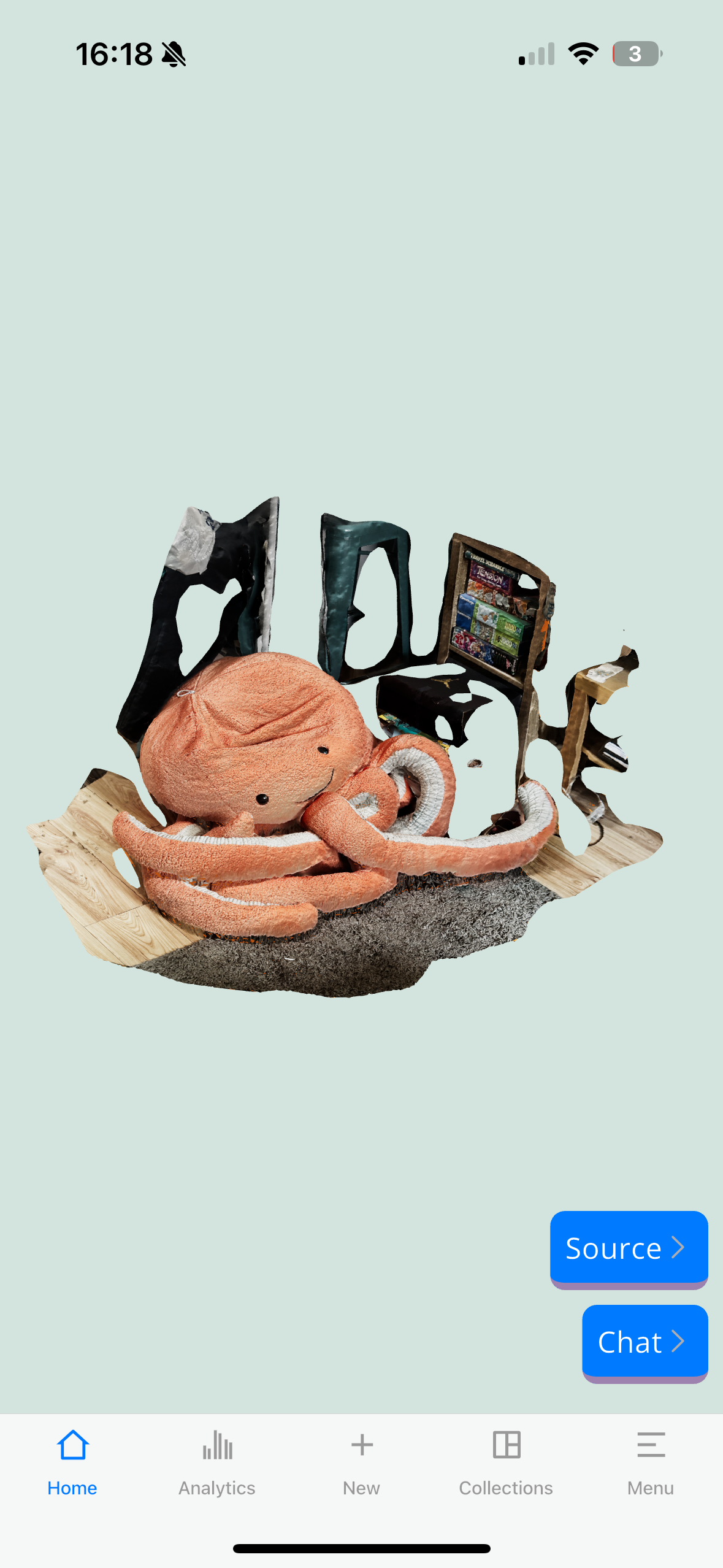
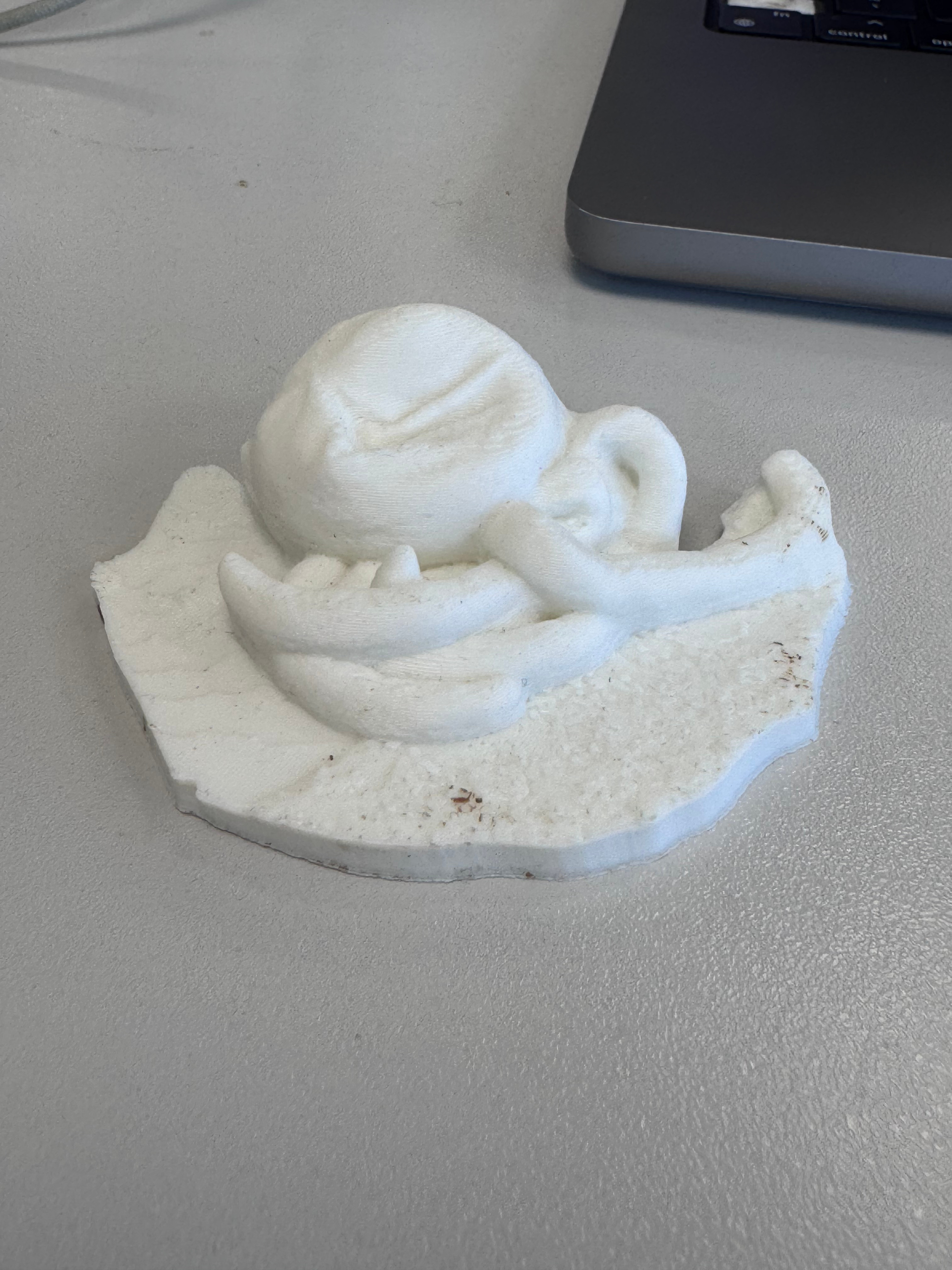 In-app 3D model viewer 3D print of the model
What's Next
The most impactful next step is moving the photogrammetry processing to cloud functions — spinning up a VM per job rather than running it on the same server as the API. This would cut costs, remove the single-thread bottleneck, and make the whole system properly scalable.
Cloud storage (S3 or equivalent) would decouple file storage from the server, removing the current ~75–100 scan limit on a 50GB VPS. And a React Native port would unlock OTA updates for smaller changes, bypassing Apple's review cycle for non-feature updates.